Snapshots
Creating Snapshots
A zfs snapshot is a read-only copy of a ZFS dataset or zvol. Snapshots are created almost instantly and initially consume no additional disk space within the pool. They are a valuable tool both for system administrators needing to perform backups and other users who need to save the state of their file system at a particular point in time and possibly restore it later. It is also possible to extract individual files from a snapshot.
The following steps will show the process of creating a snapshot from a clustered pool.
Note
Snapshots cannot be created in shared-nothing clusters as the cluster software is responsible for creating and synchronising snapshots at regular intervals.
-
To create a snapshot navigate to
ZFS -> Snapshotsand clickCREATE SNAPSHOT:
-
Select the
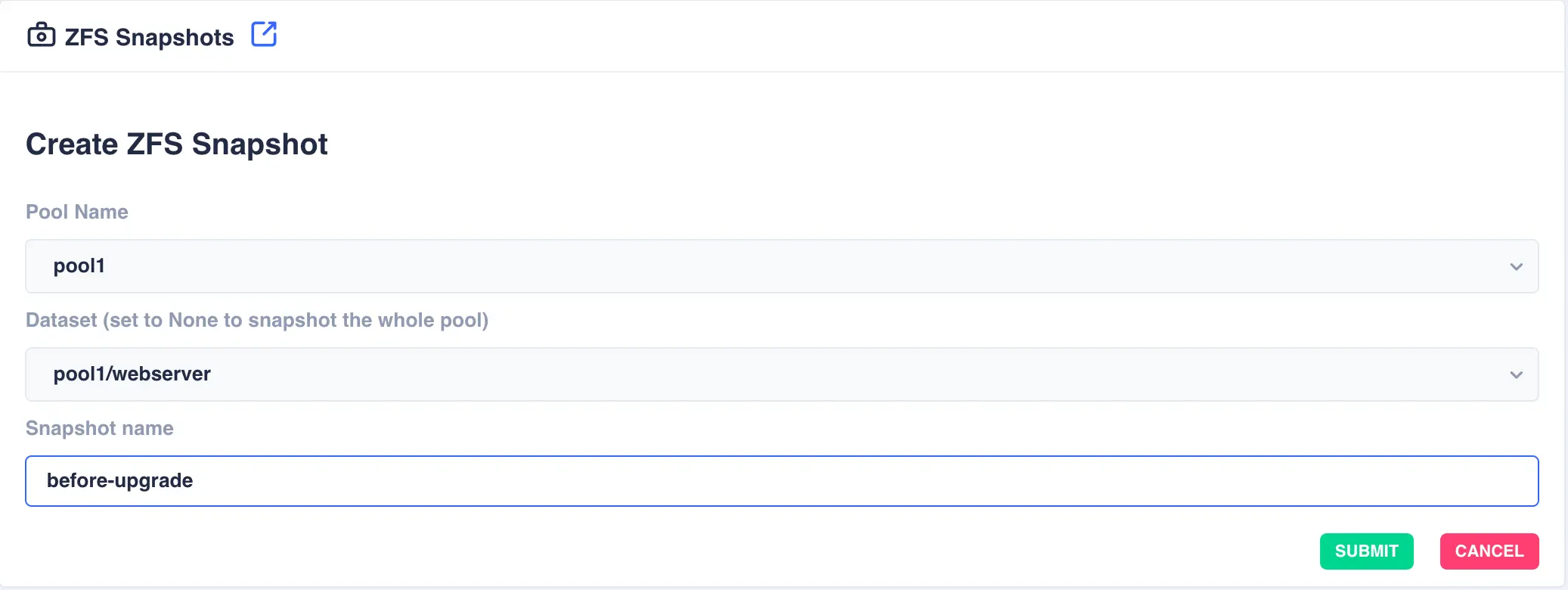
Pool Nameand theDatasetwithin the pool (set this field toNoneto snapshot the whole of the selected pool). Finally specify a snapshot name and clickSUBMIT:Snapshot name
The cluster software automatically prefixes the snapshot name with pool/dataset name followed by the '@' symbol. Therefore when entering a snapshot name the '@' symbol cannot be used.
-
Click
SUBMITto create - the Zvol is now created in the pool.
Restoring Snapshots
Restoring a snapshot will revert the dataset/pool back to the position it was in when the snapshot was taken. This process is known as rolling back.
Restoration is one way
Any changes made to a dataset/pool since the snapshot was taken will be discarded, therefore use with care.
Deleting Snapshots
Use the DELETE button to remove a snapshot. Once removed any space used by the snapshot will be recovered.