Pools Create Mirrored
Mirrored Pool
Mirrored pools are created by striping together individual mirrored vdevs.
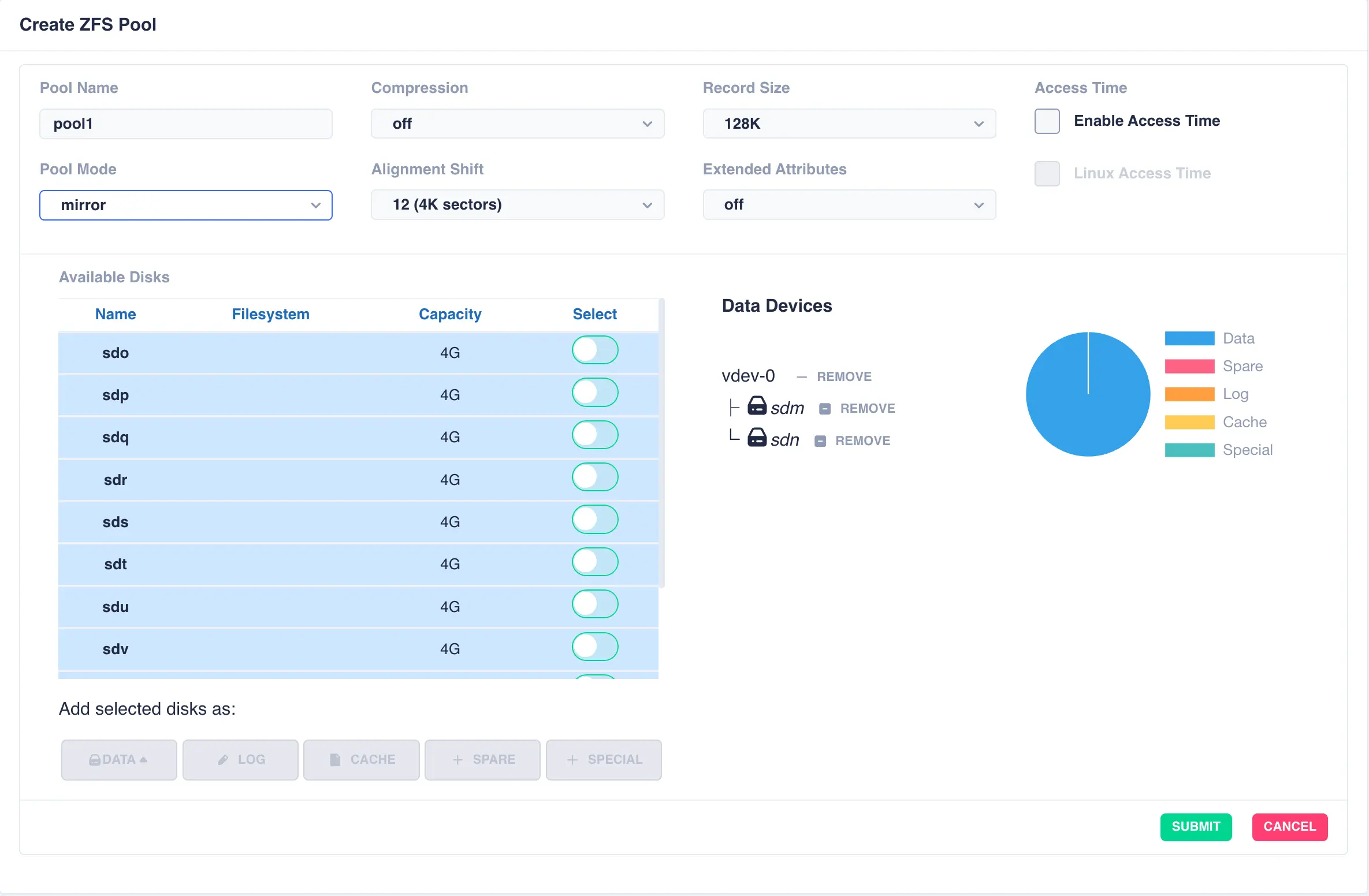
Start by creating an individual mirrored DATA vdev (in this example a two way mirror is created,
but these could be three, four way mirrors etc). Select drives for the vdev from the
Available Disks list and click DATA to add them as data vdevs - in this example sdm and sdn
are used to create the first mirror:
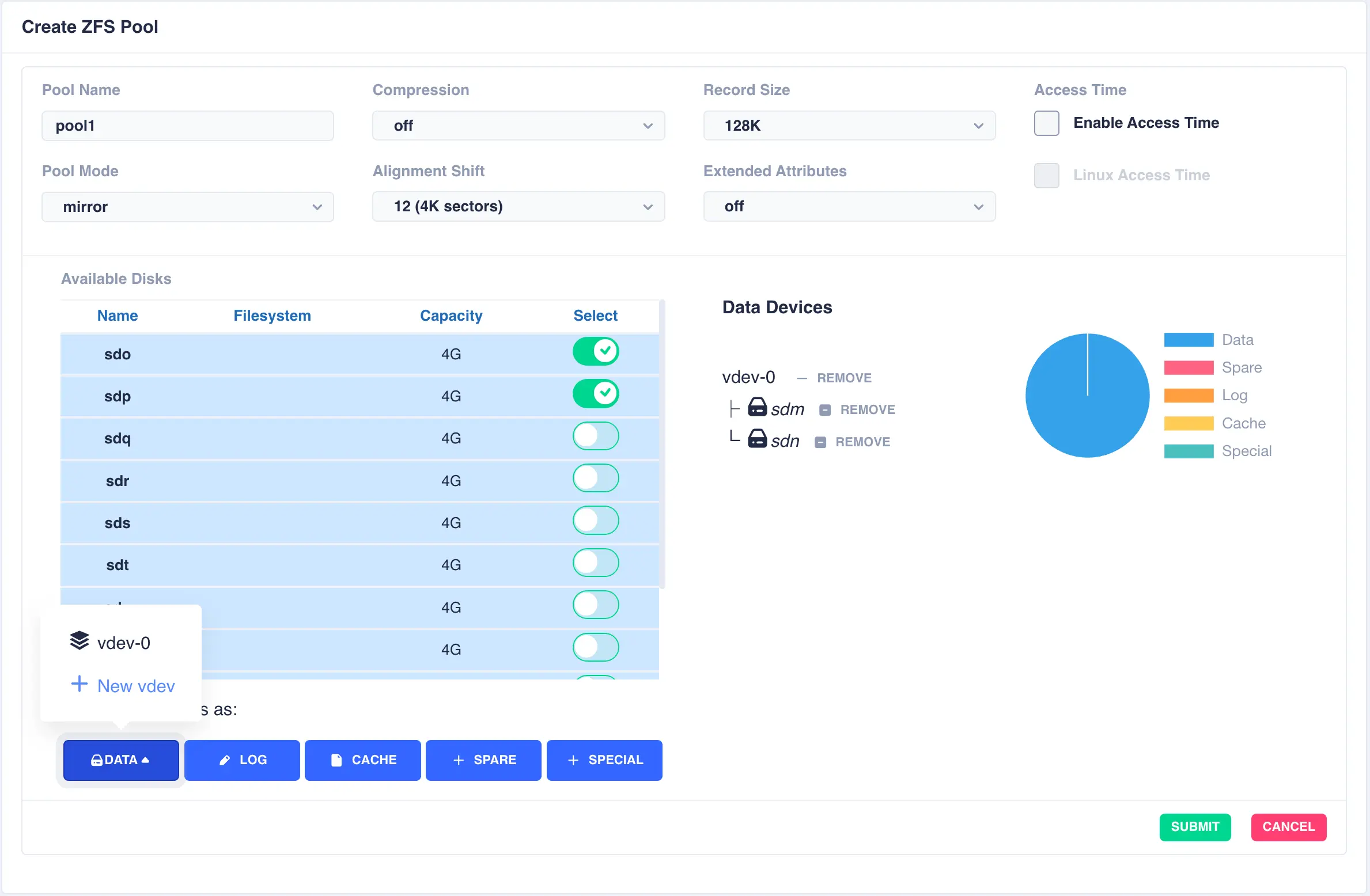
To configure multiple striped mirrors, select the next
set of drives using the same number of drives as the existing data vdev, click DATA,
then from the popup menu select + New vdev (note that selecting vdev-0 would
extend the existing vdev rather than creating a new one):
This action will then add a further pair of mirrored drives to the pool layout, creating a mirrored stripe; additional drives are adding in the same manner:
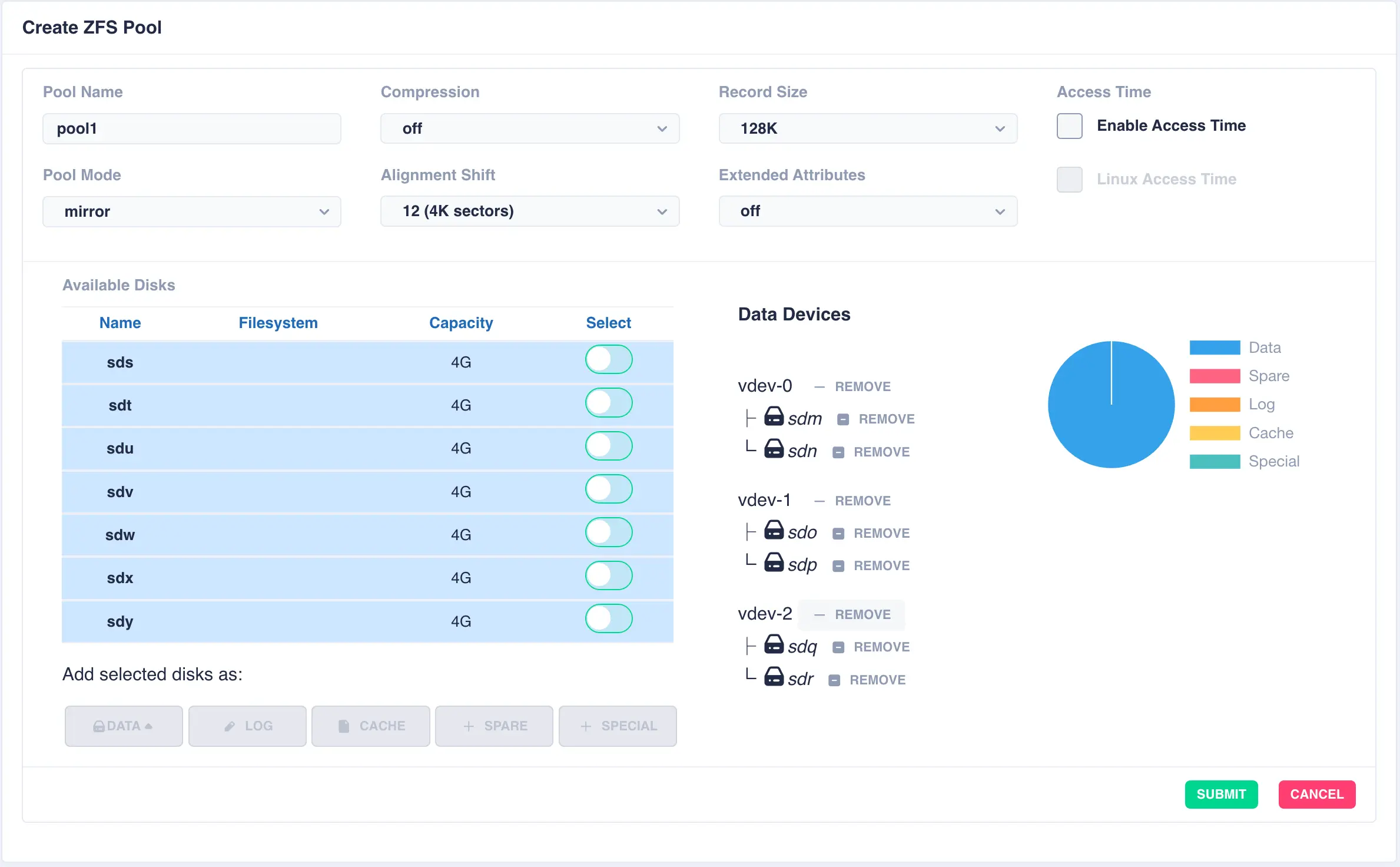
Add further vdevs as required, here a log and a cache have been added:
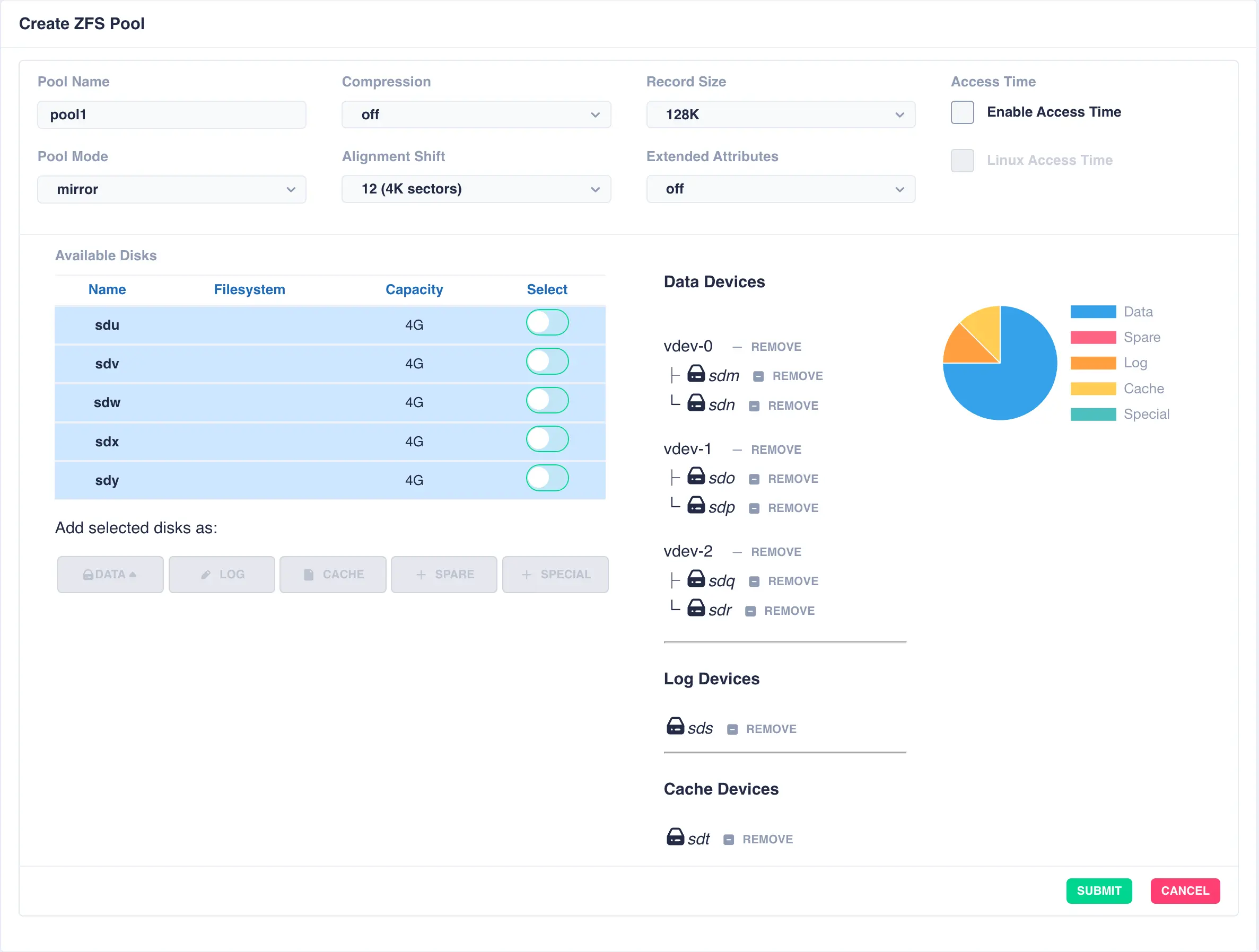
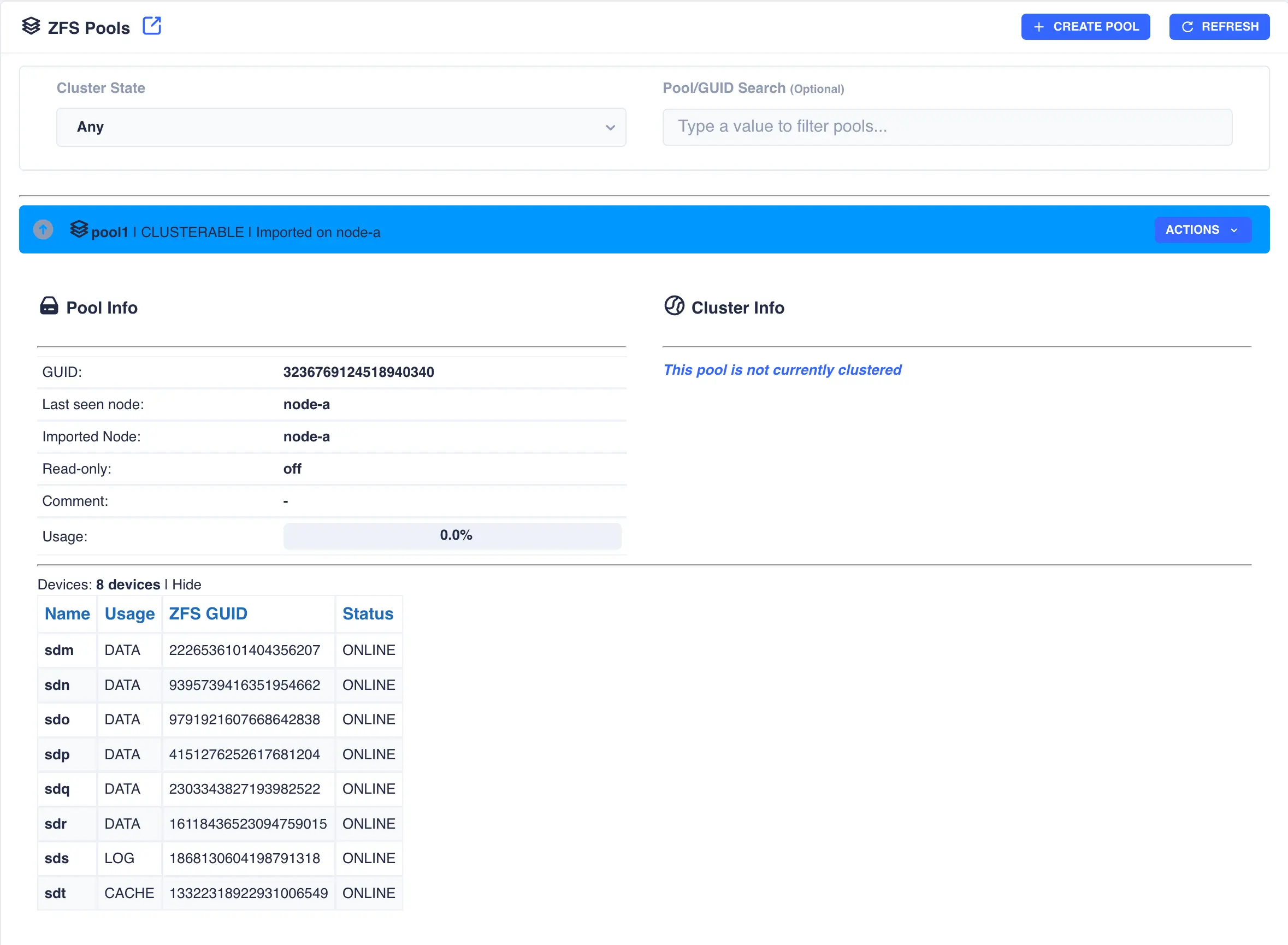
Once configuration is complete, click SUBMIT and the pool will be created and displayed
in the main pools page ready for clustering. The configuration of the pool can be checked by clicking the
expand/collapse arrow on the left hand side of the pool entry: