Docker
Clustering a Docker Container
These steps show the process of creating a Clustered docker container. The container will be created using
a standard docker compose.yaml file.
Install docker engine
Before using docker in the cluster, the docker engine must be installed on all cluster nodes. Please see here for installation instructions.
-
Navigate to
HA-Cluster -> Dockerin the webapp:
-
Click
Cluster a Docker applicationto bring up the creation/addition page and fill in the fields: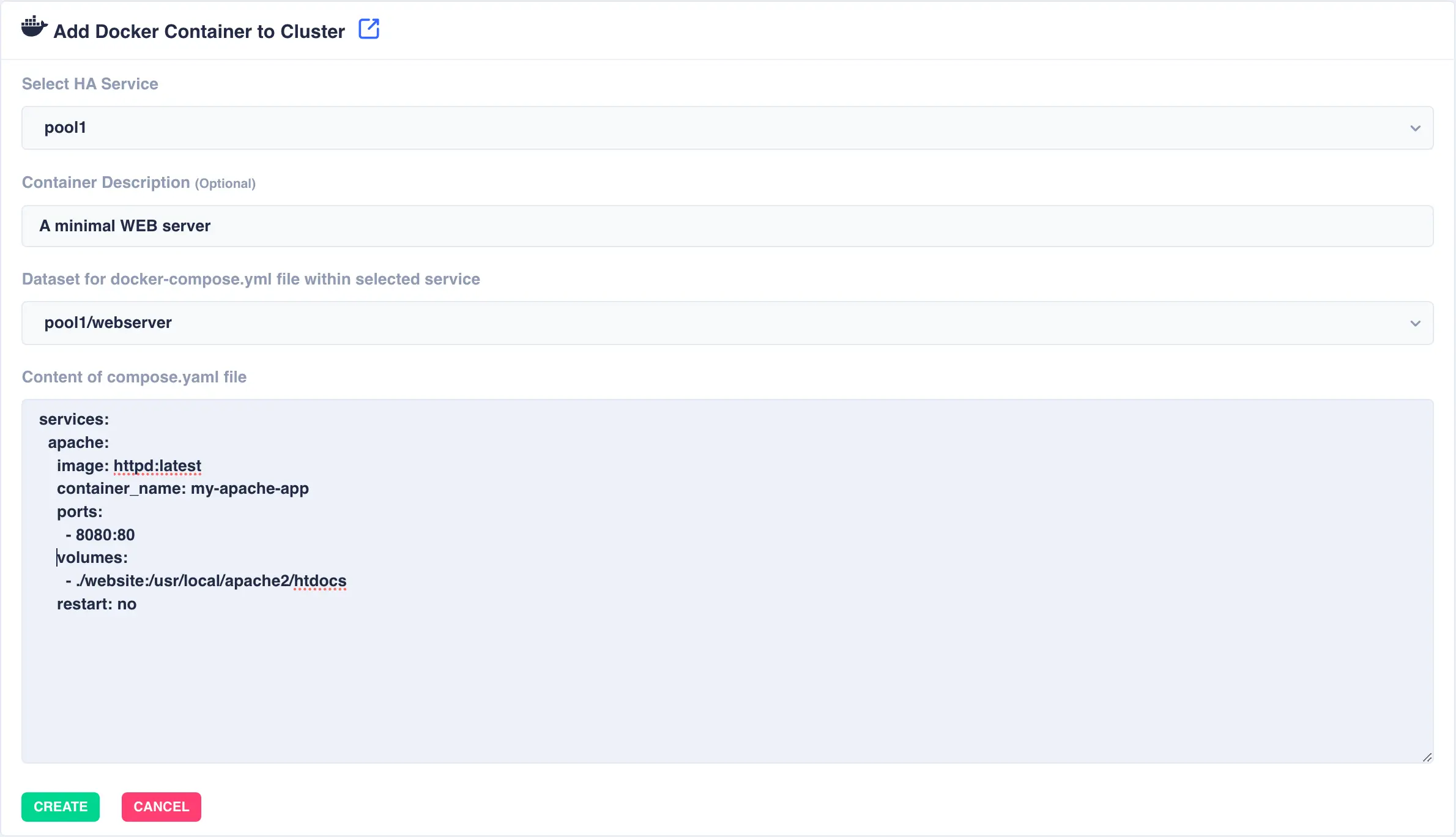
Available options:
Select HA Service- The service/pool that will host the docker container. In the event of a failover of this service the complete docker container will be moved with it.Container Description- An optional description of the docker container.Dataset- Location ofcompose.yamlfile within selected service.Contents- Thecompose.yamlfile for the docker container. Here is an example WEB server:
services:
  apache:
    image: httpd:latest
    container_name: my-apache-app
    ports:
      - 8080:80
    volumes:
      - ./website:/usr/local/apache2/htdocs
    restart: no
Warning
When adding your content, make sure to add
restart: noto your service configurations. RSF-1 will manage the restart of clustered containers in the event of a failover -
When finished click
Create. This will add the service in a stopped state: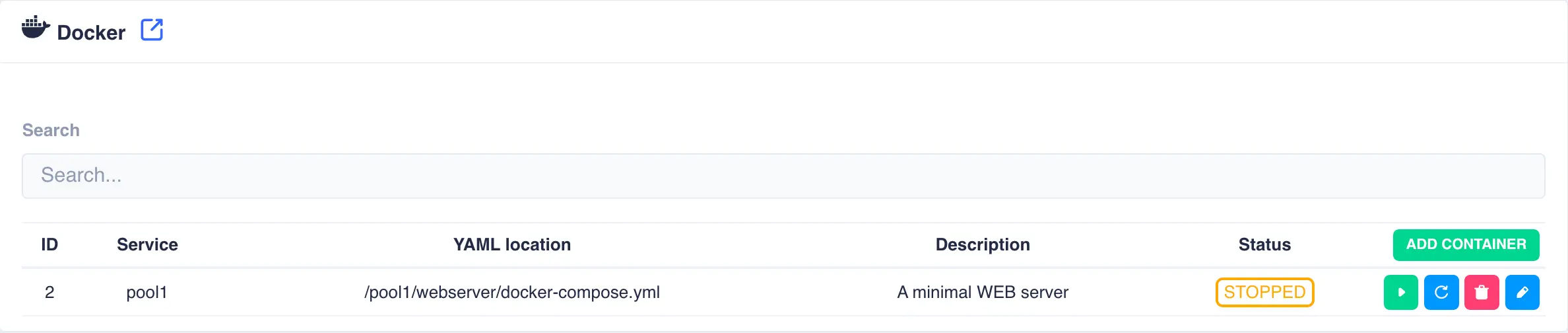
-
By default the container will remain stopped until started. Click the
Startbutton to spin up the container: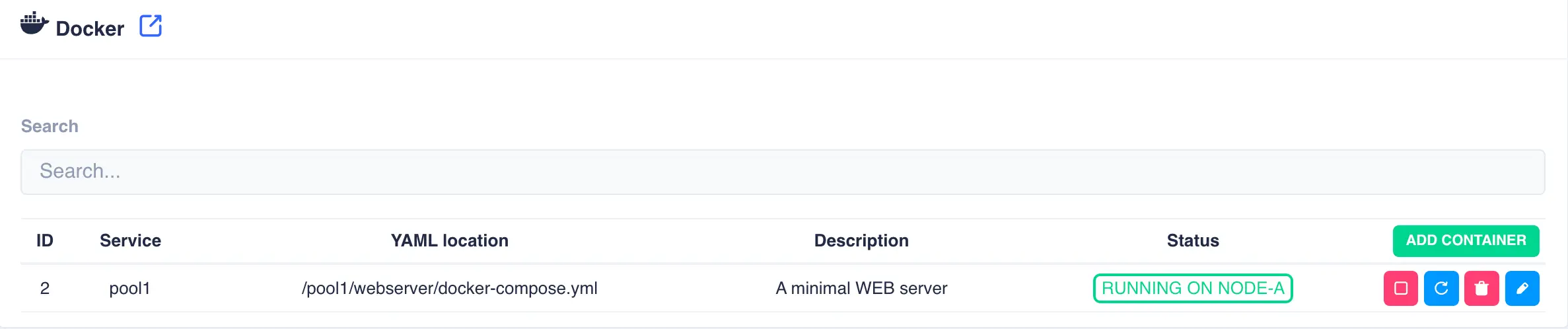
Note
When a container is started for the first time there maybe a slight delay as the required images for the container are downloaded.