QS Clustering a pool
Clustering a Pool
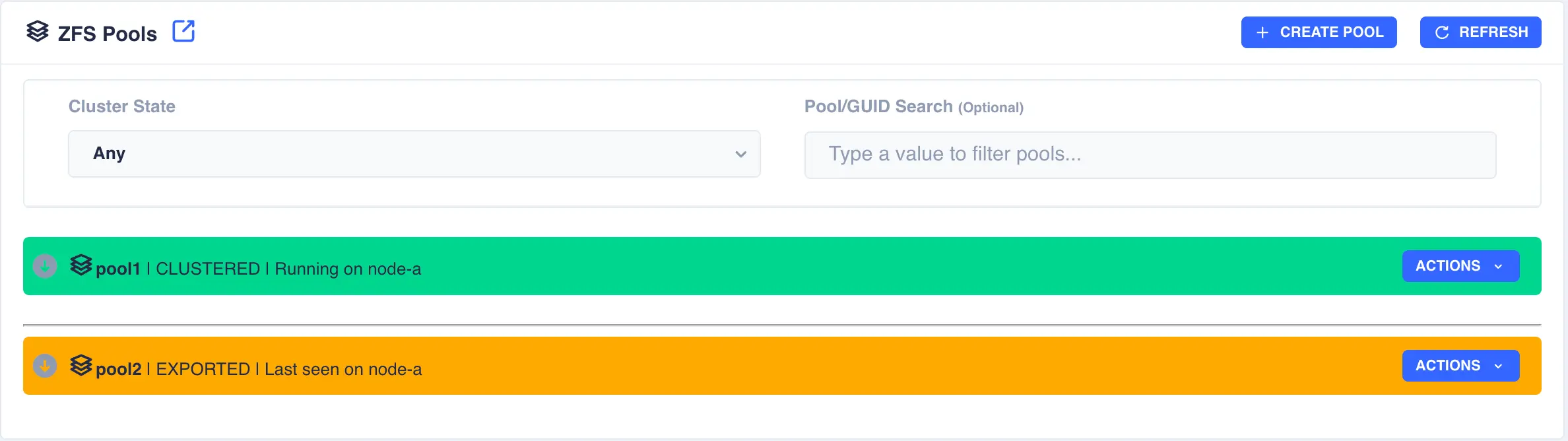
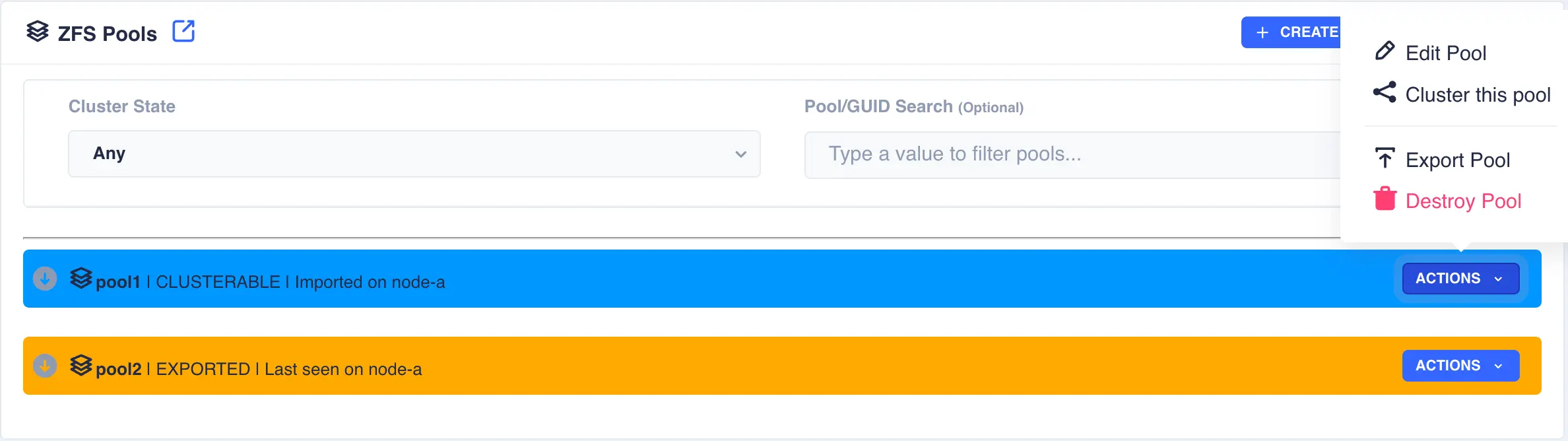
Highlight the desired pool
to be clustered (choose only pools marked CLUSTERABLE ), then select Actions
followed by Cluster this pool:
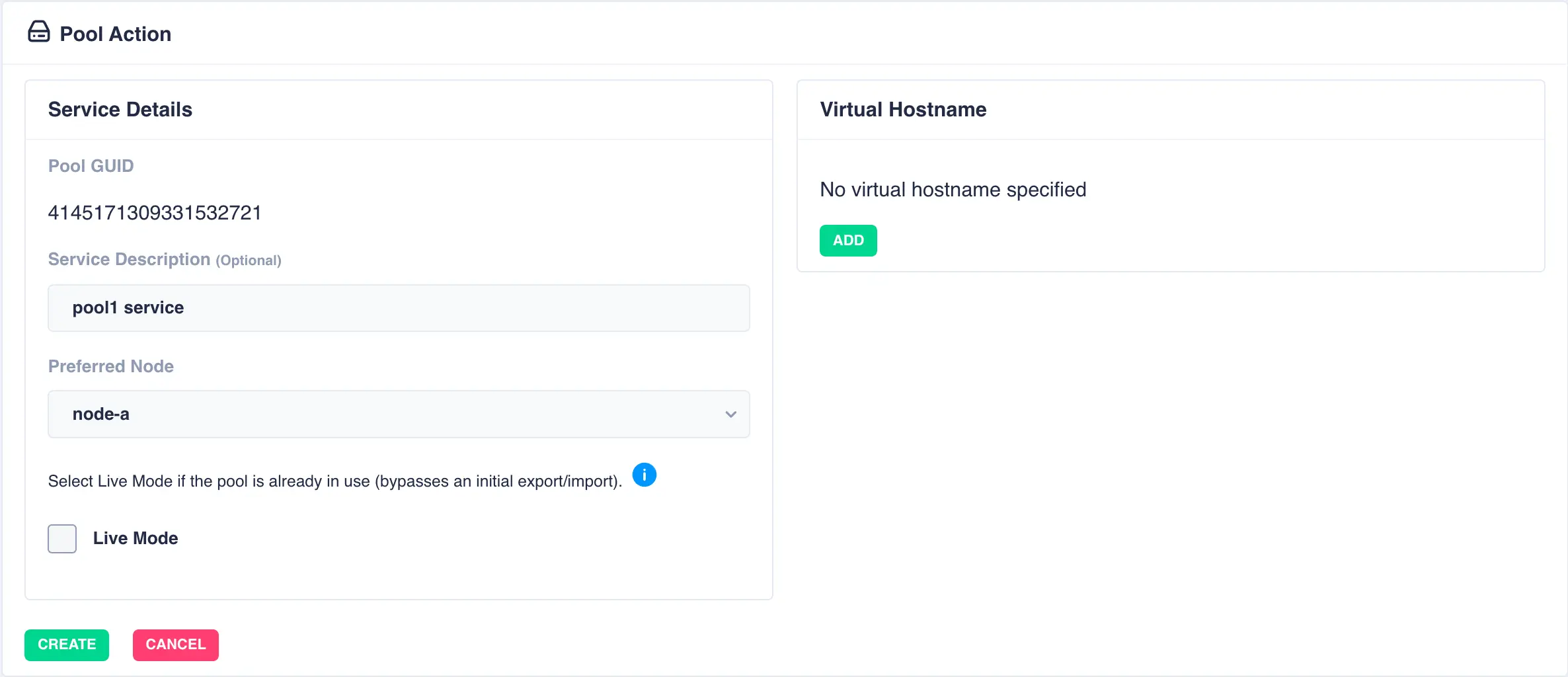
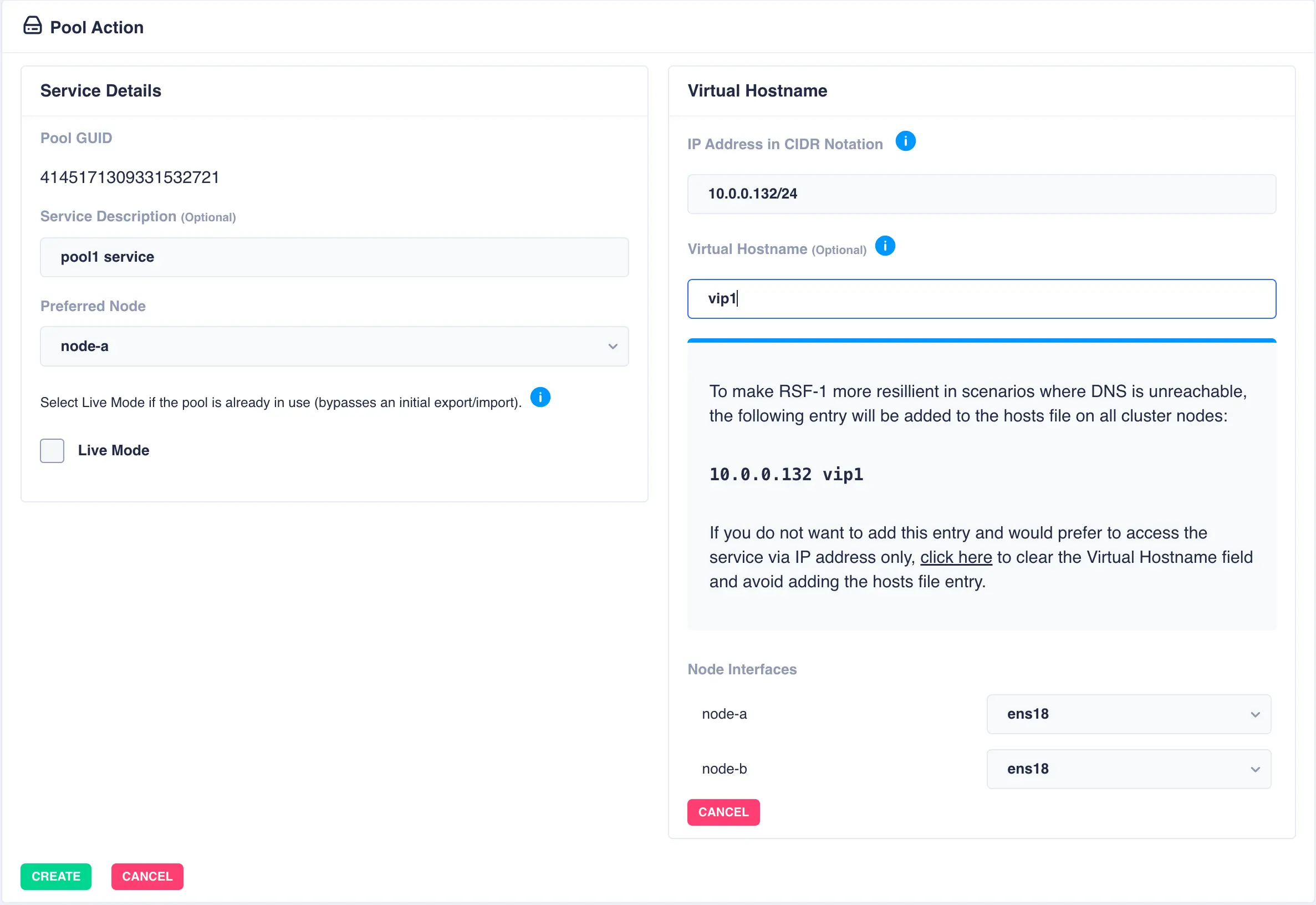
Fill out the description and select the preferred node for the service:
What is a preferred node
When a service is started, RSF-1 will initially attempt to run it on it's preferred node. Should that node be unavailable (node is down, service is in manual etc) then the service will be started on the next available node.
For shared nothing clusters the system will synchronise data from the preferred node to remote node(s), with any data on the destination pools being overwritten. If clustering a pool with existing data, set the preferred node to be the node where the pool with existing data is imported to prevent its data being overwritten.
With a shared-nothing pool the GUID's for each pool will be shown:
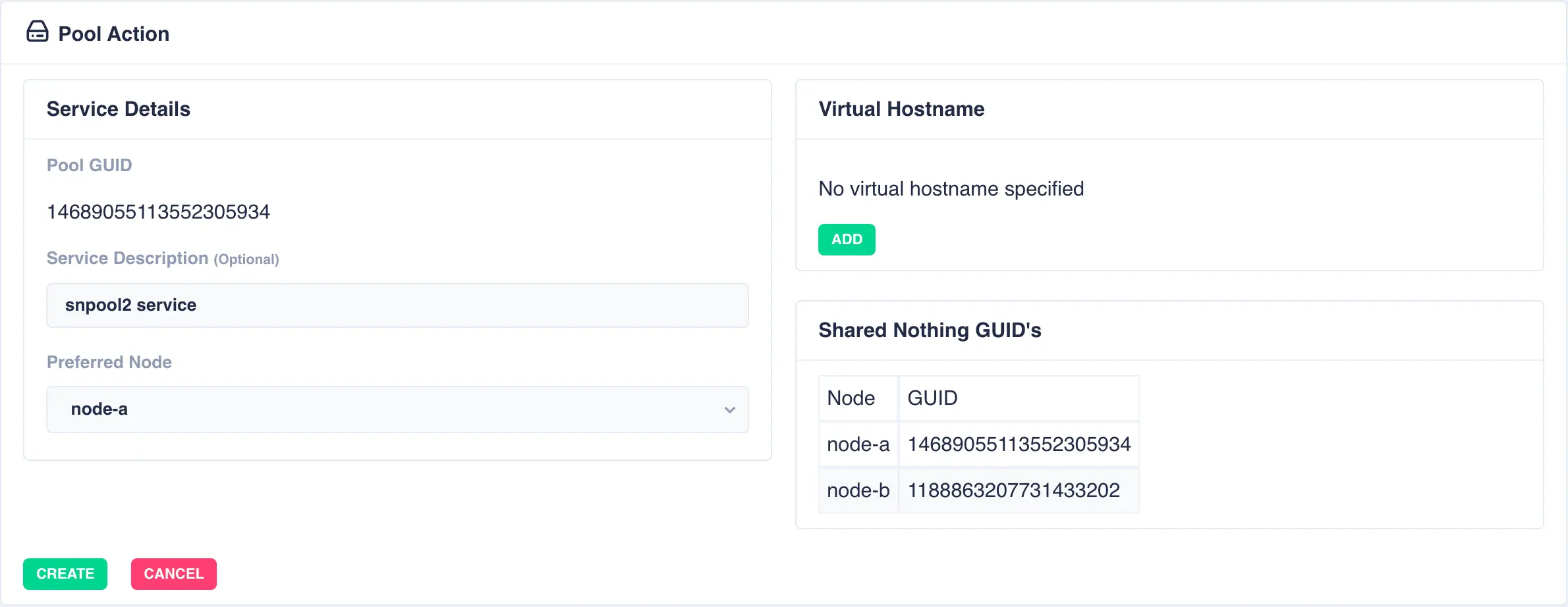
To add a virtual hostname to the service click Add in the Virtual
Hostname panel. Enter the IP address, and optionally a hostname.
For nodes with multiple network interfaces, use the drop down
lists to select which interface the virtual hostname should be assigned
to.
Finally, click the Create button:
The pool will now show as CLUSTERED: