QS Cluster heartbeats
Cluster Heartbeats
To view cluster heartbeat information navigate to HA-Cluster -> Heartbeats on the side-menu:
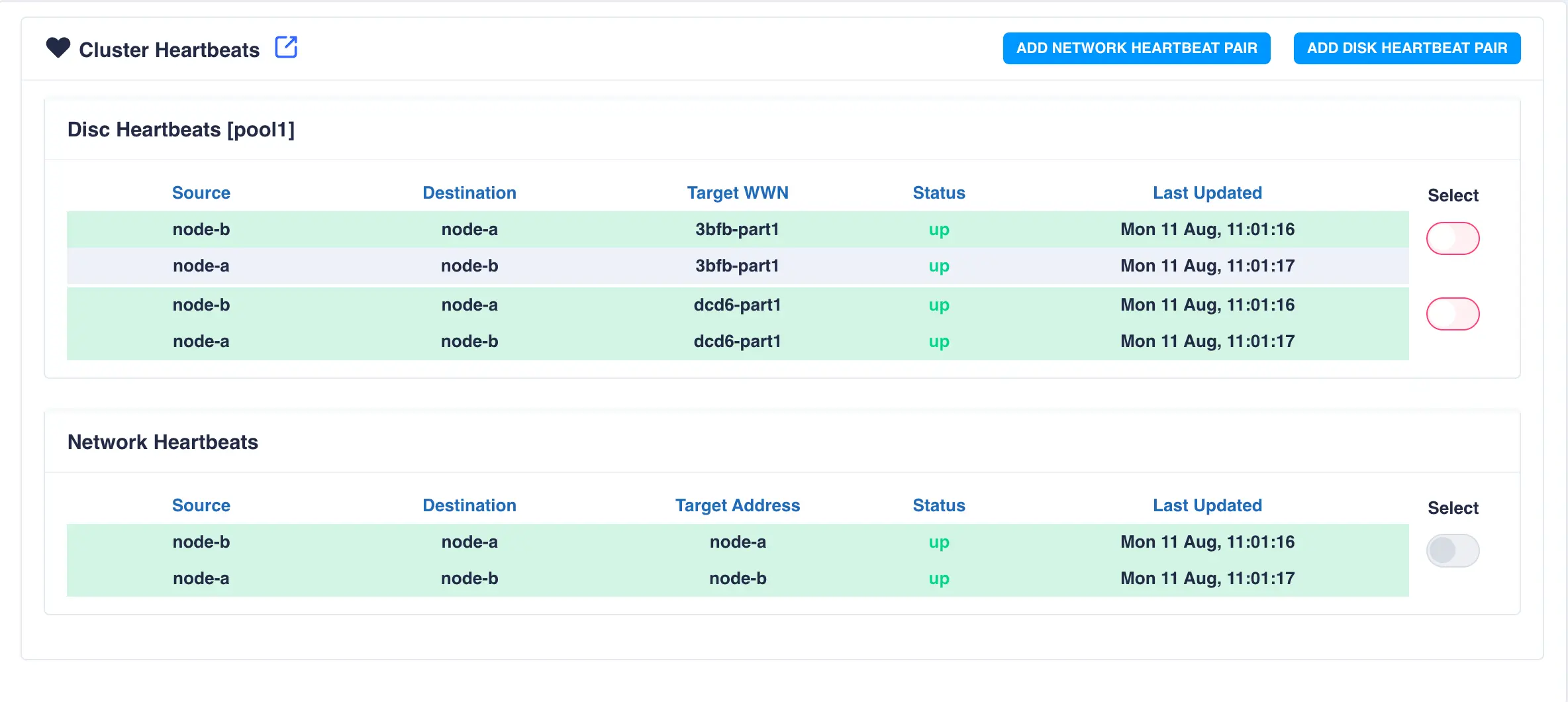
To add an additional network heartbeat to the cluster, select ADD NETWORK HEARTBEAT PAIR.
In this example an additional connection exists between the two nodes with the
hostnames node-a-priv and node-b-priv respectively. These
hostnames are then used when configuring the additional heartbeat:
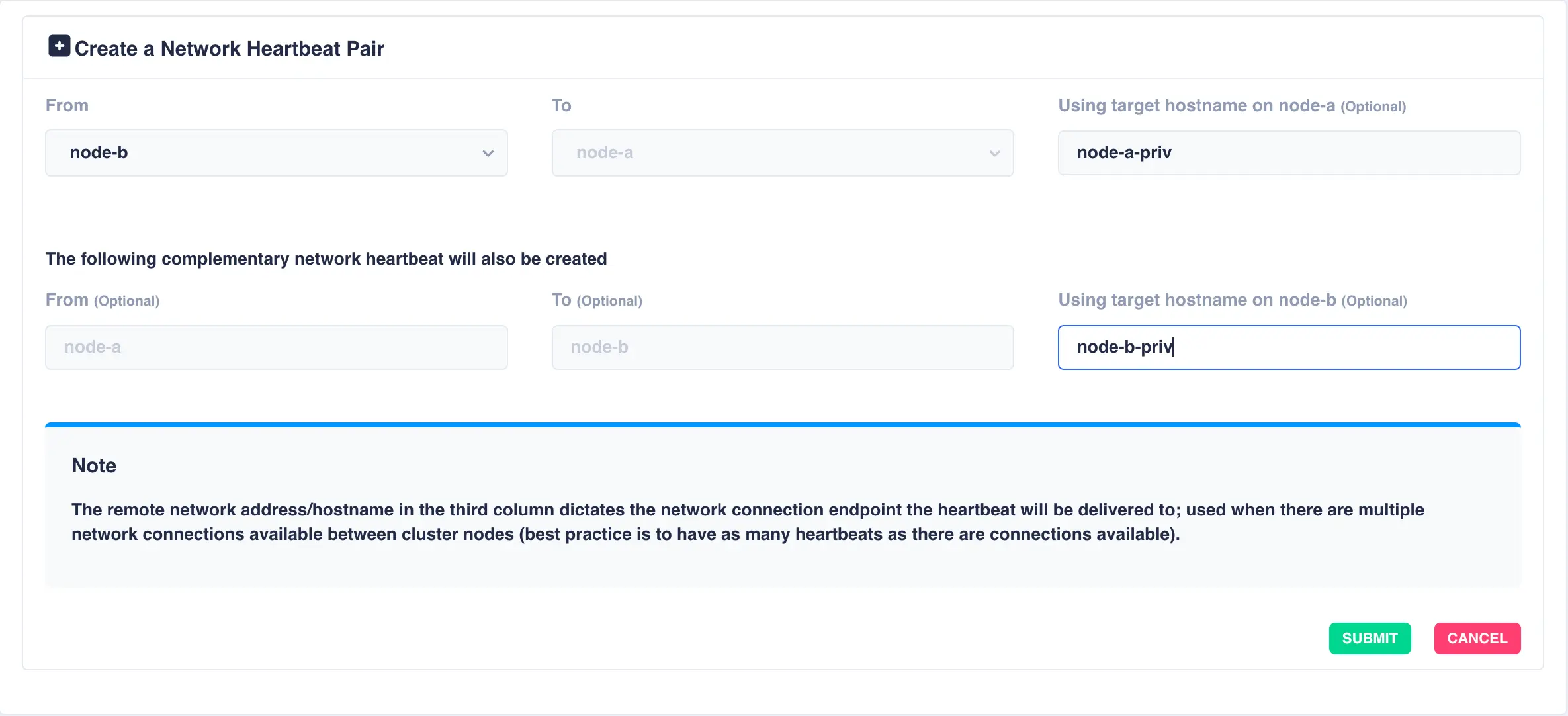
Click SUBMIT to add the heartbeat. The new heartbeat will added and shown in the heartbeat panel:
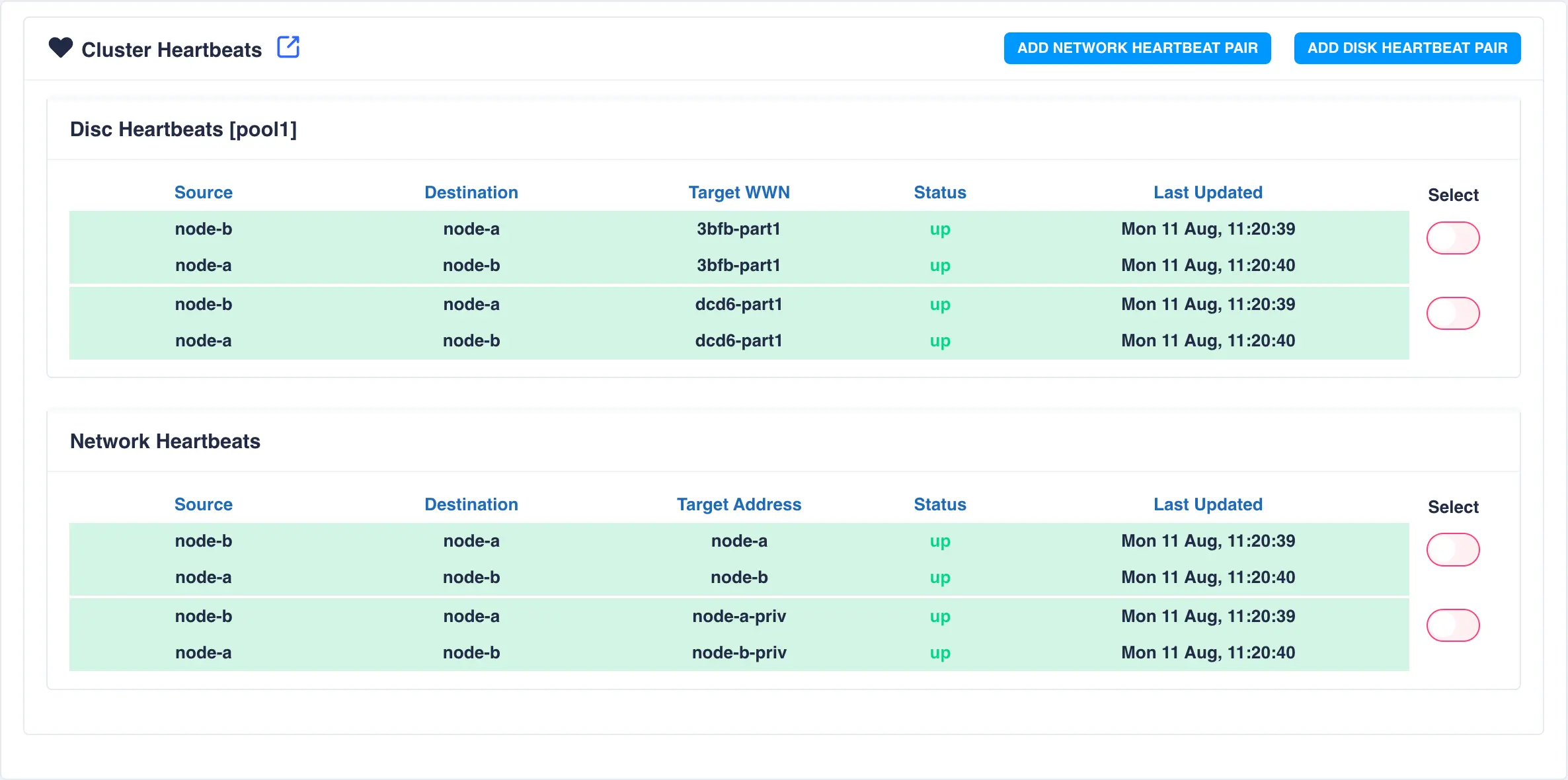
This completes basic cluster configuration.
For more advanced configuration and operational procedures please see the online user guide.